How to fix stringing in 3D prints: a measured retraction and temperature workflow
By Let’s 3D Studio · 18 min read
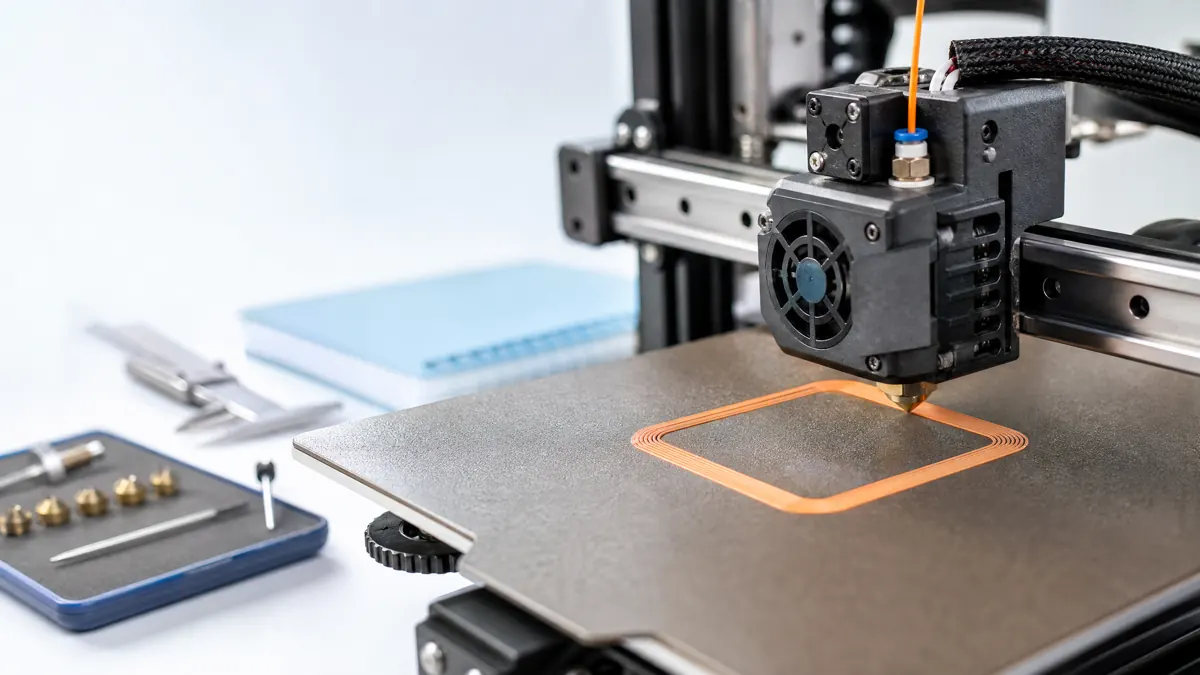
Stringing—those wispy hairs between separate parts of a print—comes from molten polymer oozing out of the nozzle during non-print moves. It is common, solvable, and usually a sign that a few settings are out of balance rather than one being catastrophically wrong. The most reliable way to stop it is a measured workflow that first sets a sensible baseline, then systematically tunes retraction and temperature, and only then introduces advanced slicer features like combing, coasting, or pressure/linear advance.
The goal here is simple: use small, controlled tests to identify the limiting factor and fix stringing without wrecking dimensional accuracy, surface quality, or reliability. You are not looking for the smallest retraction or lowest temperature in absolute terms; you want the most string-free results for your printer, filament, and environment while maintaining stable extrusion and layer bonding.
This guide shows a structured approach that works across direct drive and Bowden systems, covers material-specific caveats, and includes realistic starting ranges so you are never guessing blindly.
What stringing is (and what it isn’t)
Stringing is uncontrolled ooze during travel moves, typically seen as:
- Fine hairs between two islands or features
- Thick whiskers that look like pulled taffy
- Webbing or a gauze-like mesh over open spans
It is not the same as:
- Blobs or zits at layer seams only, which often relate to pressure management, seam hiding, or acceleration
- Elephant skin or rough over-extruded surfaces, which usually stem from flow rate errors or overheating over time
- Thin bridges sagging, which comes from insufficient cooling or excessive speed, not necessarily retraction
Still, these can overlap. For example, too-high temperature can cause both stringing and seam bulging. Diagnosing which symptom dominates matters because the fix for one problem can worsen another if applied blindly.
Root causes in plain terms
- Temperature too high: Filament is more fluid and less viscous, so it drips during travel.
- Retraction too short, too slow, or mistimed: Insufficient negative movement of filament to relieve pressure in the melt zone before travel.
- Travel path choices: Crossing open air between islands exposes the nozzle to opportunities to ooze; long, slow travels worsen this.
- Moisture in filament: Water turns to steam in the hotend, creating micro-bubbles and spitting that leave strings.
- Hardware slack or compliance: Long Bowden tubes, worn couplers, sloppy extruder gears, and elastic TPU all reduce the actual negative pressure created by retraction.
- Heat creep and hotend design: PLA in an all-metal hotend with weak heat break cooling can soften too far up the path; aggressive retraction then grinds or jams, but too little retraction allows ooze.
- Surface chemistry of the polymer: PETG is tackier and strings more than PLA when all else is equal; nylon and copolyesters often demand drier conditions and faster travel to behave.
Safety and prep
- Hot surfaces and moving axes: Avoid touching hotends or build plates during tuning. Keep loose clothing and hair clear.
- Ventilation: Materials like ABS, ASA, and some copolyesters emit odors or VOCs. Ensure airflow and follow local guidance.
- Drying: Use a purpose-built filament dryer, follow the filament manufacturer’s temperature and time guidance, and consult the dedicated drying and storage guide before changing thermal settings.
Baseline setup before tuning
Before changing many variables at once, lock down a stable reference:
- Extruder health: Ensure the drive gear is clean and the idler tension is firm but not crushing filament. Check that the Bowden tube is cleanly cut and fully seated if present.
- Nozzle condition: Replace a heavily worn, partially clogged, or leaking nozzle and follow the printer manufacturer’s maintenance procedure before attempting any nozzle replacement or hotend service.
- Filament path: Confirm spool unwinds smoothly. Any snag forces can overcome retraction and contribute to ooze.
- Slicer baseline:
- Layer height around 0.2 mm
- Nozzle diameter 0.4 mm, or use your normal nozzle but keep it consistent for testing
- Perimeters 2–3, minimal infill
- Keep coasting, wipe, pressure advance or linear advance off for the first tests; we add them later
- Z hop off initially; enable only if collisions are a problem
- Travel speed a reasonable 120–200 mm/s, not so slow that ooze dominates; start near 150 mm/s if your printer handles it
- Combing set to within infill or within infill and skin at first to reduce perimeter crossings
- Retraction enabled with conservative defaults based on your setup (see ranges below)
Starting retraction ranges
- Direct drive:
- Retraction length: 0.8–1.6 mm
- Retraction speed: 25–45 mm/s
- Bowden:
- Retraction length: 3.0–6.0 mm
- Retraction speed: 25–45 mm/s
These are not absolutes. Shorter, stiffer Bowdens may need less; long Bowdens with soft tubing may need more. Many direct drives prefer shorter retraction to avoid heat creep issues with PLA.
A measured workflow: temperature first, then retraction
Tackle stringing with a simple two-step sequence: temperature sweep, then retraction optimization. This segregates variables and keeps cause-and-effect clear.
Step 1: Temperature sweep
The aim is to find the lowest temperature that still yields consistent extrusion, layer adhesion, and surface quality. Stringing generally worsens with higher temperature, but you must not sacrifice bonding so much that parts are weak.
- Choose a reasonable window:
- PLA: 195–215 C
- PETG: 225–245 C
- ABS/ASA: 235–255 C
- TPU/TPE: 210–230 C
- Nylon: 240–260 C
- PC, copolyesters: follow vendor guidance; start slightly lower than your usual if stringing is severe, then increase until layers fuse reliably
- Print a small two-tower test or a multi-island shape separated by a 30–50 mm gap. If you do not have a model, simple small cylinders created in your slicer’s primitive tools spaced apart are fine.
- Use your baseline retraction and travel settings. Keep other features off.
- Evaluate:
- At the high end of the window: Note string severity but check for strong layer bonding.
- Decrease temperature in 5 C steps: Watch stringing reduce. Stop when extrusion becomes inconsistent, first layers look under-fused, or perimeters appear weak and matte.
- Pick the lowest temperature that prints consistently without brittle or weak interlayer adhesion.
If you cannot find a temperature that reduces stringing without causing poor bonding, suspect moisture or poor filament path rather than settings alone.
Step 2: Retraction length and speed
With temperature set, refine retraction. Use the same two-tower setup and emphasize long travel moves. Print several short tests rather than one long one to keep changes isolated.
- Length sweep:
- Direct drive: Step length in 0.2–0.3 mm increments between 0.8 and 1.8 mm.
- Bowden: Step length in 0.5–1.0 mm increments between 3.0 and 7.0 mm.
- Speed sweep:
- Try 25, 35, 45 mm/s. If your extruder starts to click or grind, slow down.
- For TPU and flexible blends, stay slower (15–25 mm/s) and use minimal retraction length.
- Evaluate after each increment:
- Fine hairs persist: Increase retraction slightly or drop temperature another 2–5 C if adhesion allows.
- Thick whiskers or delayed extrusion after travels: You may be over-retracting or retracting too fast. Shorten length or slow speed.
- Blobs at the start of the next line: The priming after retraction is out of balance or pressure is not settling. Try a slightly shorter length first; later you can add wipe or small coasting if needed.
The best outcome is the shortest retraction that cleanly eliminates stringing for your material and printer. Overshooting may cause jams on PLA in some all-metal hotends or leave gaps at restart points.
Travel strategies that matter
Even with good retraction, travel logic can help:
- Travel speed: Faster non-print moves reduce ooze time. Typical range is 120–200 mm/s if your printer is rigid enough and firmware limits permit it.
- Avoid crossing perimeters: Enabling this in many slicers reduces open-air trips. It can lengthen the path but often prevents the worst strings.
- Combing mode:
- Within infill only: Keeps travel inside areas that will be covered.
- All: May detour excessively and scrape perimeters. Start conservatively, then loosen if your model benefits.
- Z hop on retraction: Useful if your nozzle drags or scars the surface. It can increase stringing by extending hot dwell time during hops, so enable only if needed and keep hop height minimal (0.2–0.4 mm).
Moisture: the invisible saboteur
Symptoms of wet filament include popping sounds at the nozzle, fuzzy or rough surfaces, and chronic stringing that does not respond to retraction or temperature tuning. Verify filament condition before chasing elusive settings.
- Practical drying ranges as a starting point:
- PLA: 40–50 C, 4–6 hours
- PETG: 60–65 C, 4–6 hours
- ABS/ASA: 70–80 C, 4–6 hours
- Nylon: 70–80 C, 6–12 hours
- TPU: 45–55 C, 4–6 hours
- Confirm your filament vendor’s limits. Avoid overheating, and ensure your dryer maintains steady temperature. Store spools in a sealed container with desiccant after drying.
If stringing vanishes after drying, lock in the retraction and temperatures that worked just before and proceed to final polish.
Diagnosing by symptom
Use the outcome of your tests to decide the next small change.
Fine, hair-like wisps across gaps
- Lower temperature by 2–5 C within your safe range.
- Increase retraction length slightly (0.2 mm steps direct, 0.5 mm steps Bowden).
- Increase travel speed modestly.
- Ensure combing reduces open-air crossings if geometry allows.
Thick, stretchy filaments between islands
- Retract a bit further and faster if your extruder handles it.
- If strings snap back into blobs on restart: you may be overdoing it. Reduce retraction slightly and consider adding wipe on retract or a small coasting value later.
- Check filament dryness; thick strings often accompany moisture puffs.
Beads or blobs at the start of lines after travels
- Retraction too long or coasting too aggressive. Reduce retraction length or disable coasting for these tests.
- Consider enabling a small wipe distance and tune acceleration and jerk so flow stabilizes quickly at restart.
- Later, pressure or linear advance can help equalize pressure at start/stop, but apply after you finish basic retraction and temperature.
Stringing only on long travels, not short ones
- Increase travel speed and enable avoid crossing perimeters.
- Ensure outer walls are printed before inner walls if you prefer a sealed perimeter to resist combing detours scraping the surface.
- Verify retraction occurs on long travels; some slicer modes can skip retracts for short moves but should engage for long ones.
Stringing grows during longer prints
- Heat creep: Confirm part cooling and hotend cooling fans are functioning and clean. Reduce enclosure temperatures for PLA.
- Moisture absorption over time: Dry the spool and use dry storage during the job.
Stringing with flexible filaments (TPU/TPE)
- Use minimal retraction: 0.5–1.0 mm direct, 2.0–3.0 mm Bowden as a starting point; slow speeds around 15–25 mm/s.
- More reliance on travel speed and path planning; consider combing within infill, avoid high accelerations that cause buckling.
- Keep temperature as low as practical within the material’s range.
Material-specific notes and starting points
Each polymer family behaves differently. Use these as starting points and refine with the workflow.
- PLA
- Temperature: 195–215 C typical
- Retraction: Direct 0.8–1.6 mm, Bowden 3.0–5.0 mm
- Part cooling: High fan is common; be aware of layer adhesion at very low temperatures
- Caveat: All-metal hotends can cause heat creep; avoid overly long or fast retractions that pull soft filament into the heat break
- PETG
- Temperature: 225–245 C typical
- Retraction: Direct 0.8–1.4 mm, Bowden 3.0–5.5 mm
- Part cooling: Moderate; excessive fan can reduce layer adhesion or cause brittle layers
- Caveat: PETG is tacky; strings more easily when slightly too hot or moist. Travel speed helps, as does fine-tuned retraction. Avoid scraping perimeters with aggressive combing
- ABS/ASA
- Temperature: 235–255 C typical
- Retraction: Direct 0.8–1.4 mm, Bowden 3.0–5.0 mm
- Part cooling: Minimal or off to maintain layer bonding; enclosure recommended
- Caveat: Ventilate for fumes. Control chamber temps to prevent heat creep when printing PLA later in the same enclosure
- TPU/TPE
- Temperature: 210–230 C typical
- Retraction: Keep minimal; use slow speeds
- Part cooling: Low to moderate depending on geometry
- Caveat: Moisture-sensitive; keep dry. Avoid high accelerations and complex coasting/wipe interactions that can destabilize flow
- Nylon and blends
- Temperature: 240–260 C typical
- Retraction: Direct 0.8–1.6 mm, Bowden 3.0–5.0 mm
- Part cooling: Low; rely on enclosure or ambient stability
- Caveat: Extremely moisture-sensitive; drying is often mandatory. Strings can persist if the spool is even mildly humid
Advanced features after basics are set
Only enable these once temperature and retraction give you acceptable results. They can polish the last 10 percent but complicate diagnosis if turned on too early.
- Wipe on retract: Moves the nozzle while retracting to smear and relieve pressure at the end of a line. Use small values to avoid over-wiping seams.
- Coasting: Stops extrusion slightly before the end to let residual pressure finish the line. Helps reduce blobs, but too much coasting can create under-extrusion at perimeters and worsen weak corners.
- Pressure advance or linear advance: Firmware features that modulate extrusion around accelerations. When tuned well, they reduce start/stop artifacts and sometimes lower perceived stringing by improving restarts. Adjust retraction slightly after enabling because the pressure dynamics change.
- Minimum travel before retraction and retract on crossing only: Some slicers allow skipping retracts for very short moves to reduce wear and heat creep. Use cautiously; skipping retracts on small hops can reintroduce local stringing.
- Extra prime amount: Rarely needed if retraction is correct. Use tiny positive values only if you consistently see gaps at restart despite proper tuning.
Hardware influences and what to check
- Bowden tube length and couplers: Longer tubes and worn couplers increase elasticity, requiring more retraction length and sometimes higher speed. Ensure the tube is fully seated against the nozzle or heat break in PTFE-lined systems.
- Extruder gears and idler: Clean teeth and ensure firm, even pressure. A slipping extruder compromises both retraction and normal flow.
- Hotend type:
- PTFE-lined: Limits sustained temperature; typically easier on PLA retraction but cannot run very hot materials.
- All-metal: Wider thermal gradient; good for high temps, but PLA can soften too high up if cooling or retraction is aggressive. Focus on strong heat break cooling and moderate retraction lengths.
- Nozzle diameter and material:
- Larger nozzles (0.6–0.8 mm) can ooze more simply due to larger orifice, making travel planning more important.
- Hardened nozzles are more wear-resistant but may run slightly cooler in practice; a small temperature increase may be needed for the same flow. Monitor stringing effects when you change nozzles.
A compact decision guide
- Strings thin and wispy:
- Decrease temperature a little
- Increase retraction length slightly
- Speed up travels
- Strings thick and stretchy:
- Dry the filament
- Increase retraction length and speed moderately
- Improve travel avoidance of open spans
- Blobs at line start:
- Reduce retraction length slightly
- Reduce or disable coasting
- Consider small wipe and later pressure advance
- Strings persist across all settings:
- Confirm filament dryness
- Check nozzle for partial clog or damage
- Verify extruder grip and Bowden seating
- Inspect combing and travel logic
- Strings grow over long jobs:
- Reassess moisture management
- Improve hotend cooling for heat creep
- Lower chamber temperature for PLA if enclosed
Useful comparison tables
Direct drive vs Bowden: starting strategies
| Factor | Direct drive | Bowden |
|---|---|---|
| Retraction length | 0.8–1.6 mm | 3.0–6.0 mm |
| Retraction speed | 25–45 mm/s | 25–45 mm/s |
| Travel speed | 120–180 mm/s typical | 140–200 mm/s typical |
| Sensitivity to heat creep | Higher on PLA in all-metal | Moderate; more elastic path |
| Tendency to need coasting/wipe | Lower; often unnecessary | Slightly higher; tune carefully |
Material tendencies and typical strings behavior
| Material | Strings tendency | Key mitigations |
|---|---|---|
| PLA | Low to moderate | Lower temp, shorter retraction, strong part cooling |
| PETG | Moderate to high | Dry thoroughly, moderate fan, higher travel speed |
| ABS/ASA | Low to moderate | Enclosure, avoid too high temp, minimal fan |
| TPU/TPE | Low to moderate but complex | Minimal retraction, slow speeds, dry spool |
| Nylon | Moderate to high when humid | Dry aggressively, higher travel speed |
Putting it all together: a practical test plan
- Prepare the printer
- Clean nozzle, confirm extruder tension, verify Bowden seating or direct drive path smoothness.
- Load filament and extrude a small amount to confirm flow.
- Set slicer baseline
- Layer 0.2 mm, nozzle 0.4 mm or your normal.
- Travel speed around 150 mm/s.
- Combing within infill.
- Disable coasting, wipe, pressure/linear advance; Z hop off.
- Retraction default set for your drive type within the ranges above.
- Run a temperature sweep
- Print small two-tower or multi-island shapes separated by 30–50 mm.
- Test 3–4 temperatures in 5 C steps within the material’s typical range.
- Pick the lowest stable temperature that still bonds layers reliably.
- Optimize retraction length and speed
- Keep the chosen temperature.
- Direct drive: sweep 0.8–1.8 mm in 0.2–0.3 mm steps; test 25–45 mm/s.
- Bowden: sweep 3.0–7.0 mm in 0.5–1.0 mm steps; test 25–45 mm/s.
- Record which combo minimizes strings without restart gaps.
- Adjust travel behavior
- If strings persist on long moves, increase travel speed and enable avoid crossing perimeters.
- Reassess combing. Within infill is a safe default; expand if model benefits.
- Dry if needed
- If changes have little effect and you hear popping or see fuzzy surfaces, follow the filament manufacturer’s drying guidance before repeating the test.
- Optional polish
- If minor blobs appear at restarts, add a small wipe distance or a tiny coasting value; retest.
- If your firmware supports it, follow its manufacturer or slicer documentation to tune pressure or linear advance, then revisit retraction length slightly.
- Validate on a real part
- Print a small functional or decorative item that represents your typical geometry. If stringing appears only in certain features, revisit travel avoidance and combing for that geometry.
Common pitfalls and how to avoid them
- Chasing extremes: A very low temperature can stop stringing but cause layer adhesion issues and brittle parts. Stay within a zone where mechanical performance remains acceptable.
- Over-retraction in all-metal hotends: Especially for PLA, too much retraction can pull softened filament into the heat break and cause partial clogs. Prefer modest retraction and robust hotend cooling.
- Relying on coasting alone: Coasting may hide pressure issues temporarily but can cause gaps, weak corners, and dimensional drift if used aggressively.
- Ignoring the filament path: Draggy or inconsistent spool unwinding creates intermittent back-pressure that overwhelms retraction. Use a smooth spool holder and ensure the filament guide path is unobstructed.
- Not isolating variables: Changing temperature, retraction, coasting, and combing simultaneously makes it hard to learn which solved the problem. Change one or two settings at a time and keep brief notes.
Troubleshooting scenarios with likely fixes
- Scenario: PLA, direct drive, lots of hair-thin strings, layers look solid.
- Action: Drop temperature 5 C, keep retraction near 1.2 mm at 35 mm/s. Increase travel to 160–180 mm/s if motion allows.
- Scenario: PETG, Bowden, thick whiskers and a few blobs at restart.
- Action: Dry spool 4–6 hours at 60–65 C within vendor limits. Retraction 4.5–5.5 mm at 35–45 mm/s. Slightly lower temperature and enable avoid crossing perimeters. If blobs persist, reduce coasting or leave it off and add a small wipe.
- Scenario: TPU, direct drive, smearing and stringing no matter what.
- Action: Minimal retraction 0.6–0.8 mm at 15–20 mm/s. Lower temperature a few degrees. Slow print and travel speeds to maintain control. Ensure the filament path has minimal friction and no sharp bends.
- Scenario: Nylon, very stringy even after retraction changes.
- Action: Dry in accordance with the filament manufacturer’s instructions. Increase travel speed. Keep temperature only as high as needed for adhesion. Enable avoid crossing perimeters and consider combing within infill to limit open-air paths.
- Scenario: PLA in an enclosure, stringing gets worse over time.
- Action: Increase hotend cooling, reduce chamber temperature for PLA, and avoid long, aggressive retractions. Consider opening the enclosure partially for PLA or direct fresh air at the hotend heatsink fan.
Fine-tuning seam behavior while keeping strings low
Once strings are under control, you may notice seam artifacts or restart marks:
- Choose a consistent seam location for parts where a visible back seam is acceptable.
- If you must hide seams, switch to nearest or random seam placement but confirm it does not provoke stringing by increasing perimeter crossings.
- Small wipe distances can improve seam quality without needing coasting. Start with a few tenths of a millimeter and adjust conservatively.
Realistic boundaries and when to stop
Do not aim for zero strings under a magnifying glass at all costs. A practical target is no noticeable stringing to the naked eye and minimal cleanup with tweezers, while mechanical properties, dimensional accuracy, and print time remain acceptable. An aggressive configuration that prevents every possible hair might cost you more in reliability than it saves in post-processing.
If you consistently need extreme retraction or very low temperatures to control stringing:
- Reassess filament quality and dryness
- Inspect the hotend for partial obstruction, incorrect assembly, or a damaged heat break
- Verify extruder steps and that you are not over-extruding at baseline, which can raise pressure and promote ooze
Quick reference: starting points to try today
- PLA, direct drive:
- 200 C, retraction 1.2 mm at 35 mm/s, travel 160 mm/s, high part cooling
- PLA, Bowden:
- 205 C, retraction 4.0 mm at 35 mm/s, travel 180 mm/s, high part cooling
- PETG, direct drive:
- 235 C, retraction 1.0 mm at 35 mm/s, travel 170 mm/s, moderate fan
- PETG, Bowden:
- 240 C, retraction 5.0 mm at 40 mm/s, travel 190 mm/s, moderate fan
Treat these as first attempts only and refine with the workflow above.
Conclusion: a calm, repeatable path to string-free prints
Stringing is controlled by the same levers everywhere: temperature, retraction, travel strategy, moisture, and hardware condition. Rather than chasing forum myths or random settings, approach it sequentially. First, stabilize the printer and environment. Second, set temperature with a short sweep until you find the lowest reliable value. Third, optimize retraction length and speed in small steps, preferring the least aggressive values that work. Fourth, refine travel behavior, drying, and only then add advanced features like wipe or pressure advance if small artifacts remain.
This measured process takes less time than guesswork because each step teaches you something actionable about your printer and filament. With a few controlled prints and notes, you will reach a configuration that resists stringing across real-world models, maintains strong layers, and avoids the hidden pitfalls of over-retraction or underheating. From there, save a profile per material and nozzle and build on it with confidence.